
FieldOps · fibre and utility works
From digging to handover, every phase on the map.
FieldOps is the platform I built for an MRO partner and its subcontractors rolling out fibre. Digging, cable blowing, splicing and inspection run in one system, with the GIS map as the starting point. It is in use today on sites in Flanders, Belgium.
- In use on sites in Flanders, Belgium
- Main contractor and subcontractors in one system
- Roles and permissions per user
- Built on more than eight years of my own experience on fibre sites
Where things often go wrong on a fibre site
Digging reports, blowing progress and splice photos come in through WhatsApp, email and Excel, and nobody has the full picture.
The site manager phones around to find out which phase is done, which crew is where and what is still waiting for inspection.
Metres, manholes and photos have to be pieced together afterwards for the bill of quantities and the handover.
How it works
One site, from the first dig to inspection
Real screens from FieldOps. Names of people and subcontractors, streets and addresses have been made unreadable.
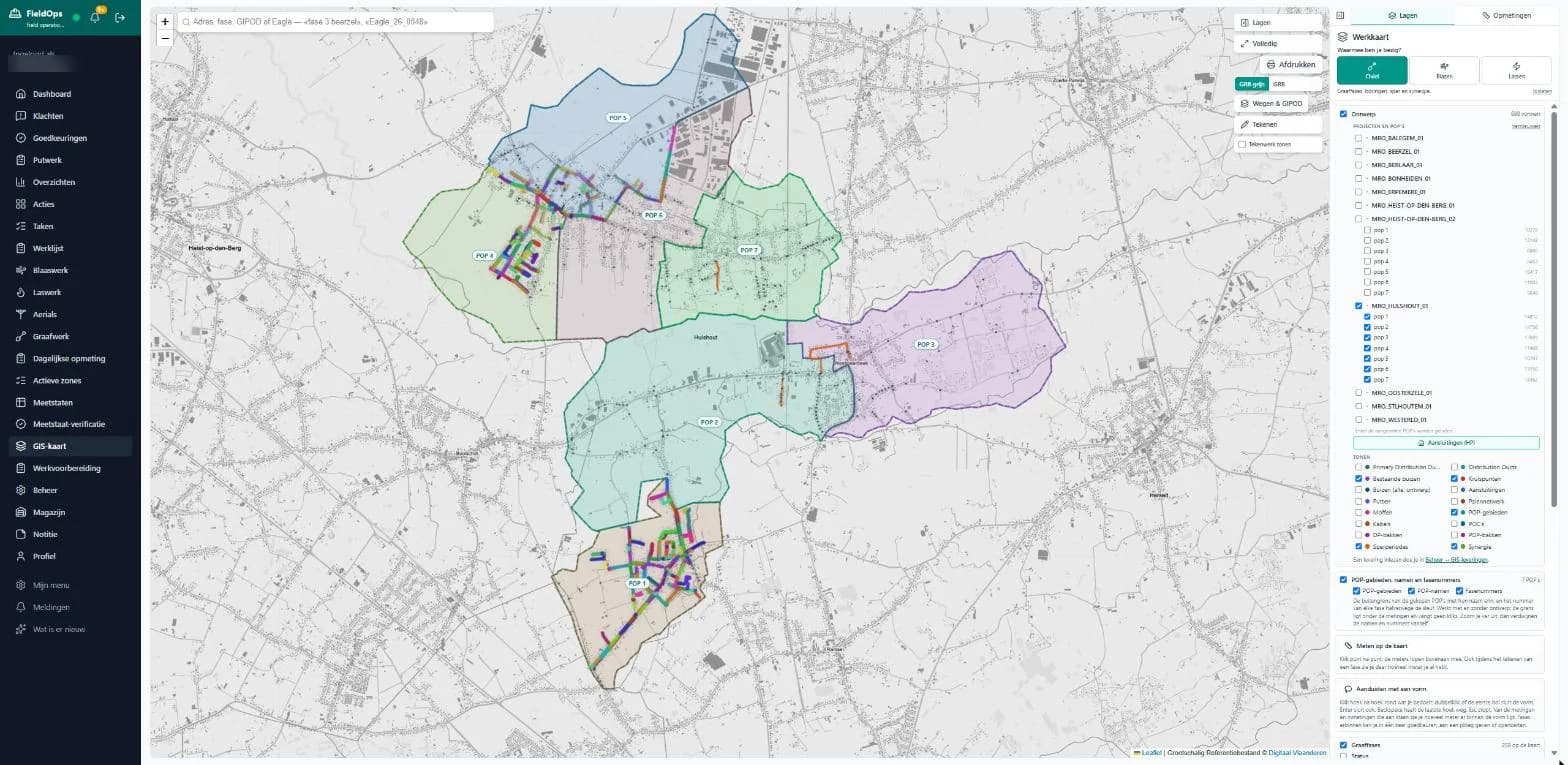
The map as the starting point
Design, POP areas and phase numbers sit on top of the official Flemish base map (GRB). You search by address, phase or GIPOD number, measure distances on the map and see the status of every phase. As-built measurements are laid next to the design, so deviations stand out.
Digging, day by day
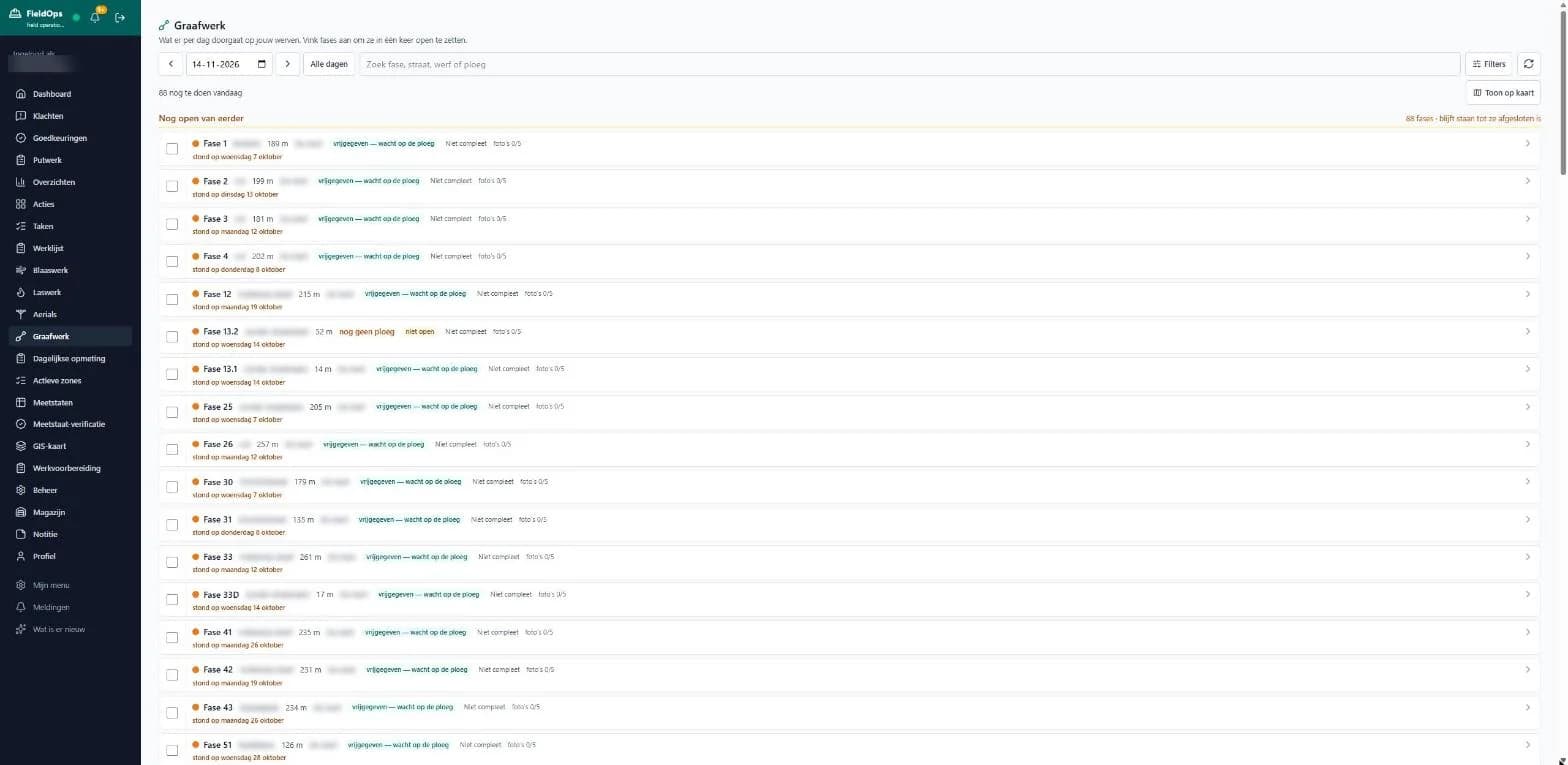
Every digging phase with its length, crew and status. The site manager releases several phases to a crew at once, sees what is still open from earlier days and which photos are missing before a phase is complete.
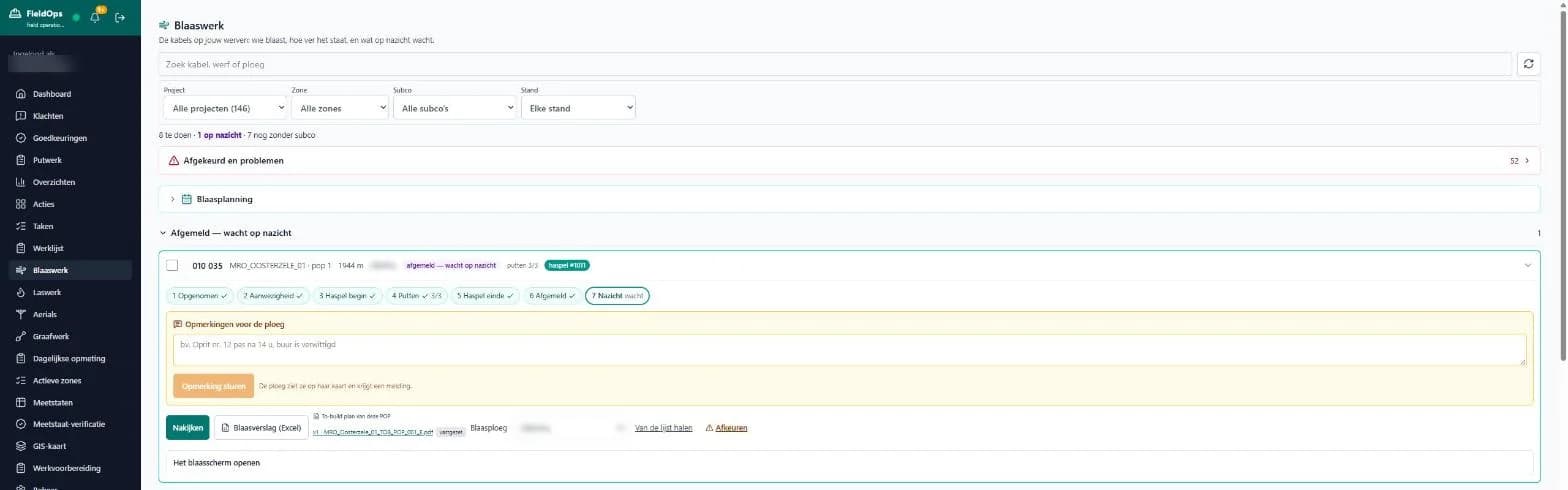
Cable blowing in seven steps
Per cable you see the area, length, crew, drum or reel and how many manholes are done. The blower goes through seven steps: accepted, on site, drum start, manholes, drum end, signed off and inspection. Notes for the crew appear on their map, with a notification.
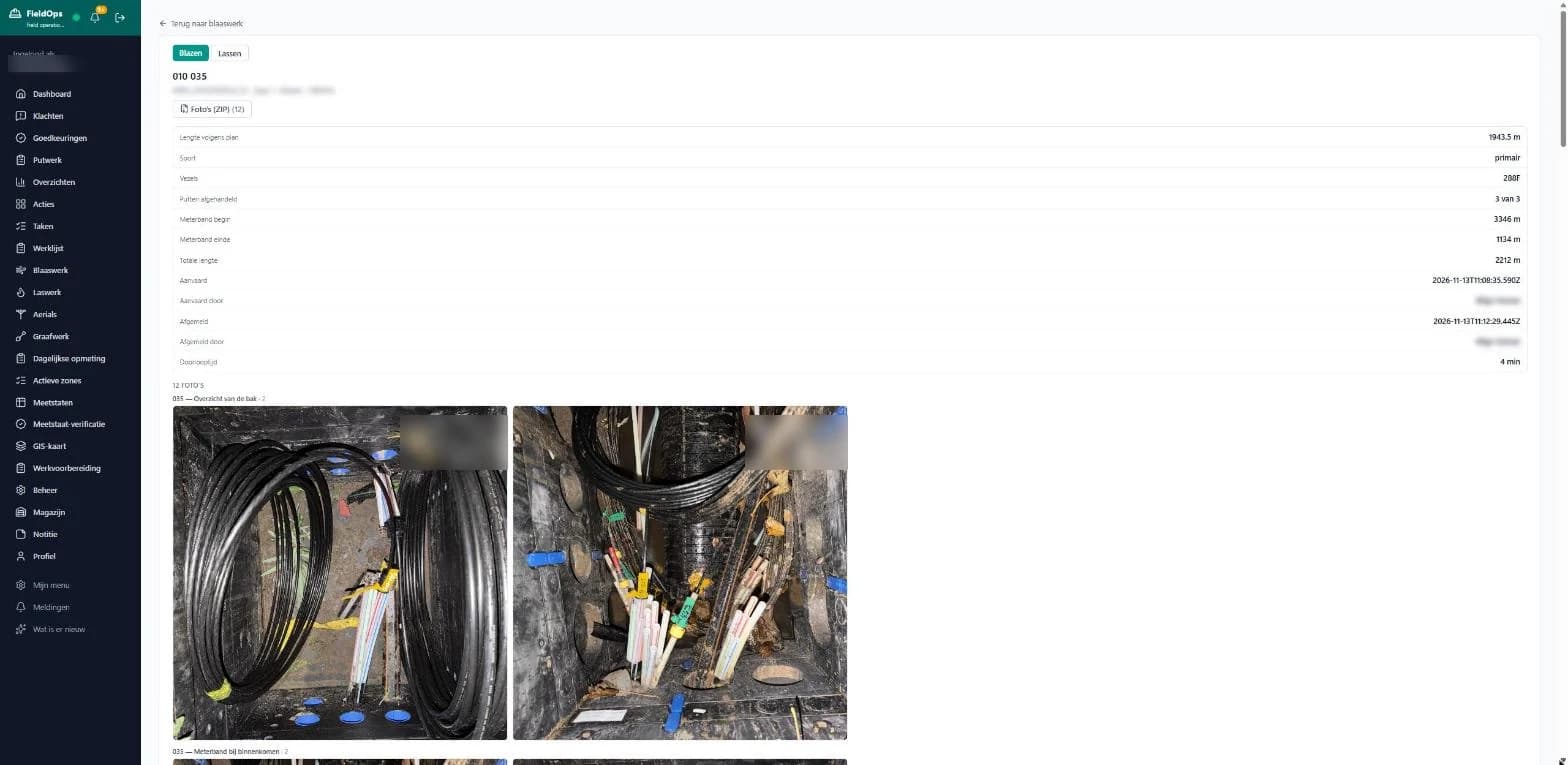
One file per cable
Planned length, fibre count, meter reading at start and end, total length, when the work was accepted and signed off, the lead time and every photo of the chambers. Earlier blowing attempts are kept. Photos download as one zip, the blowing report as Excel.
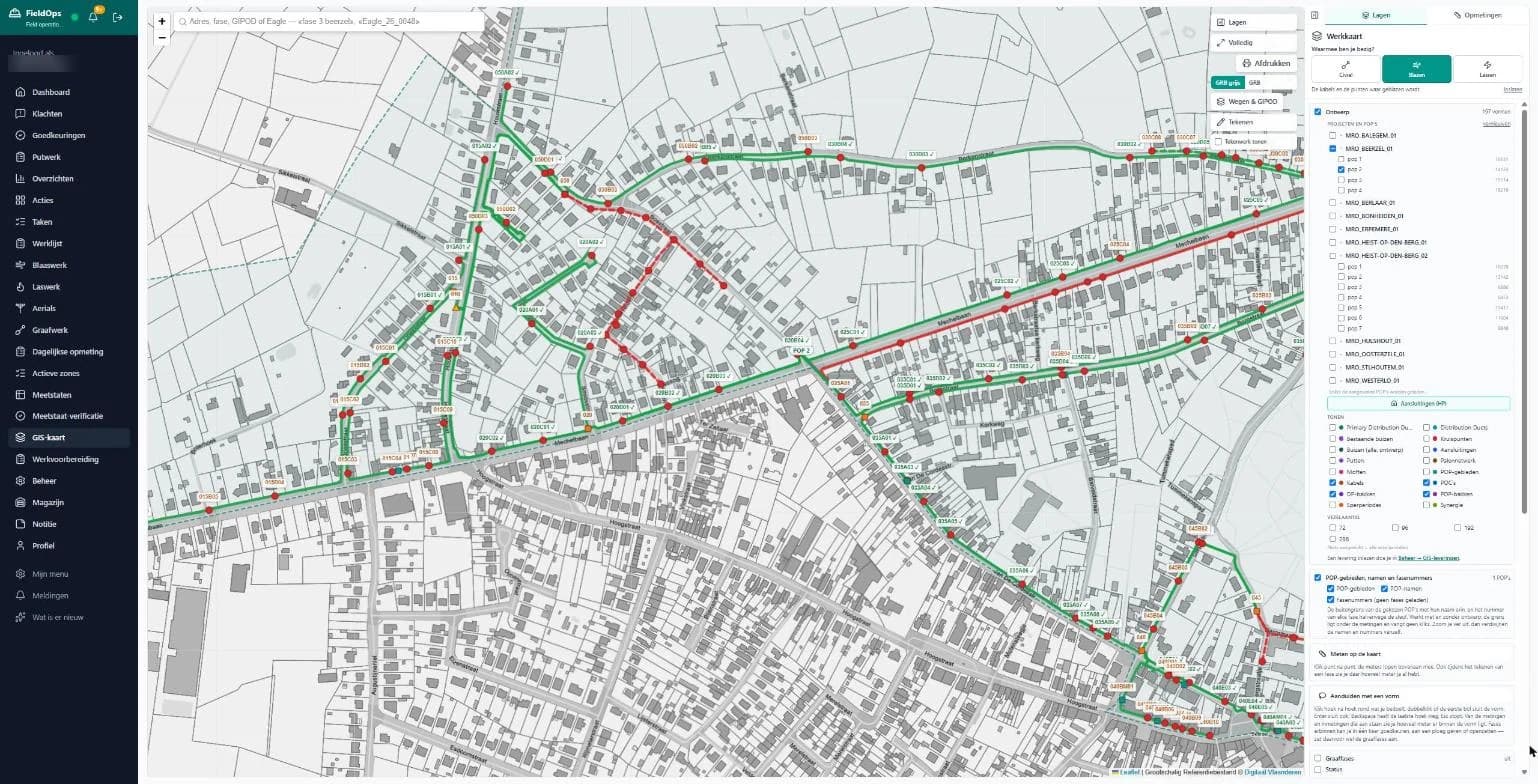
The map as the blower sees it
The blowing view shows the cables and the points where blowing happens, with the status of every cable. Green is done, red is still to do.
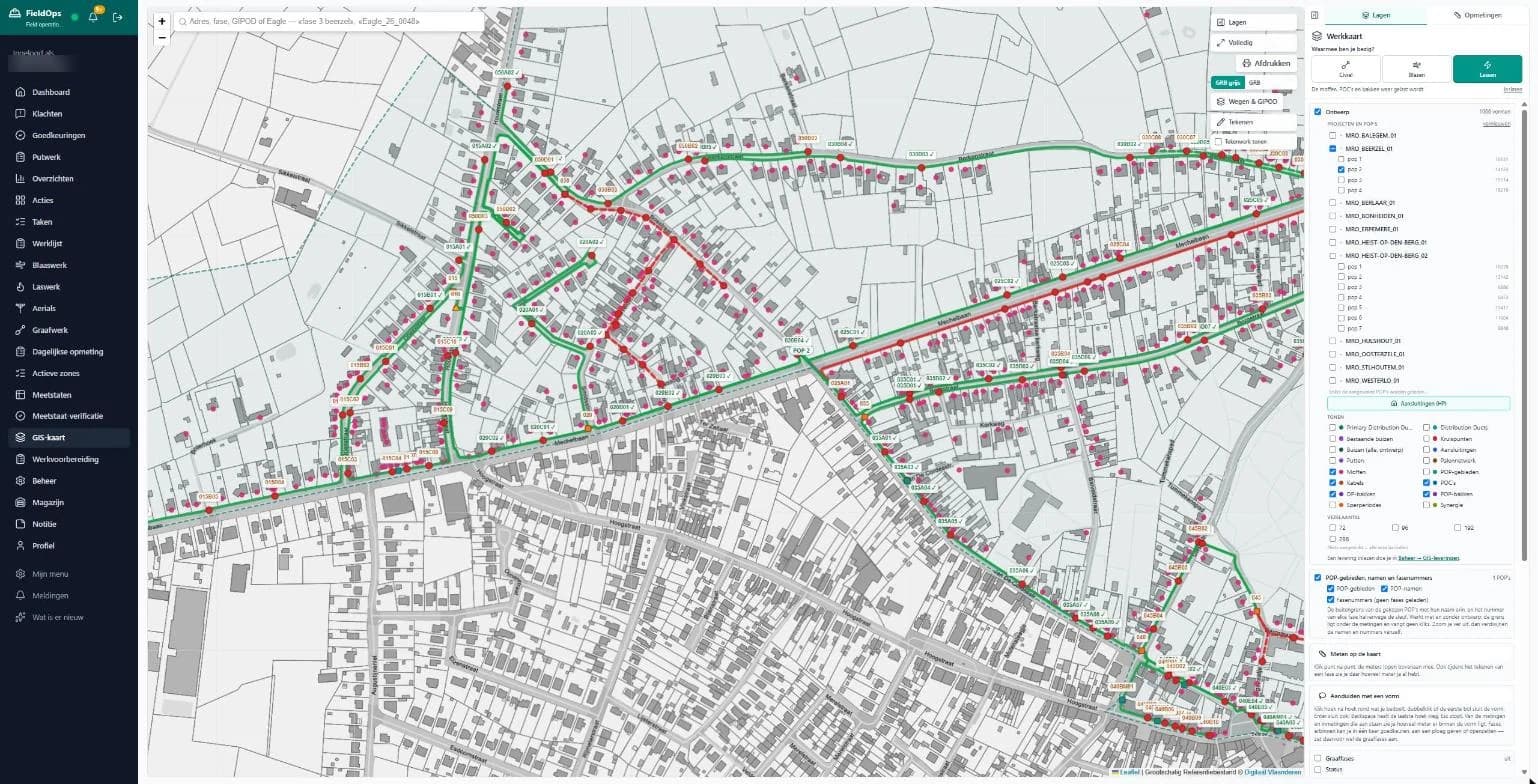
Splicing per manhole
The splicing view shows joints, POCs and DP boxes. You choose the crew per manhole, and work that someone else has to do is passed on to another crew or the manhole crew.
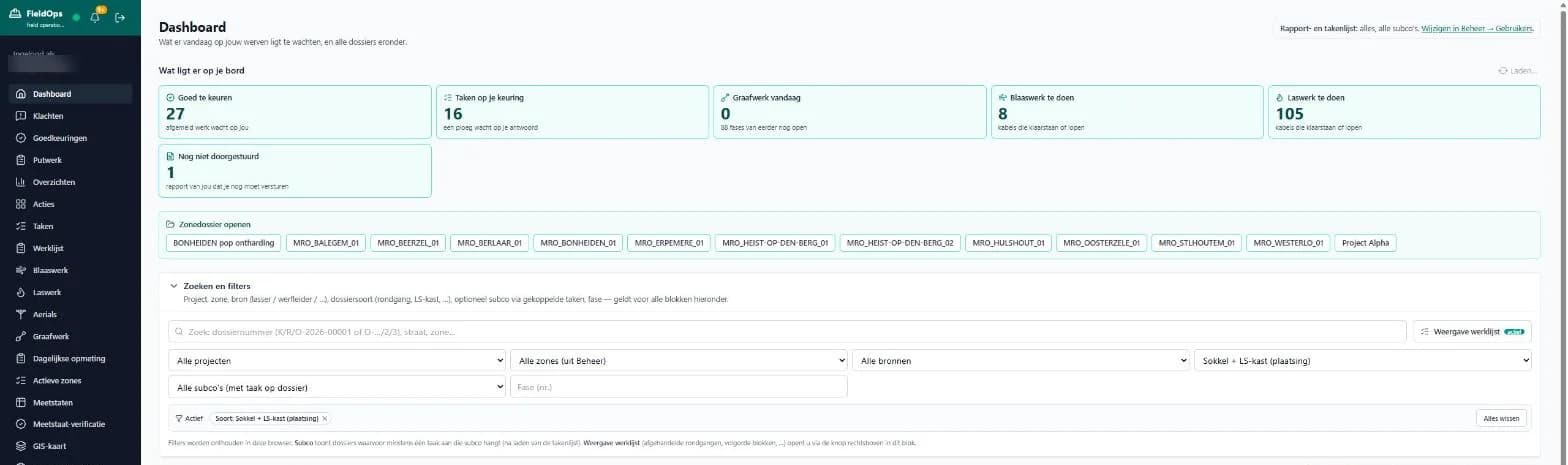
What is waiting for you today
The dashboard shows work waiting for approval, tasks where a crew is waiting for your answer, today's digging, cables ready for blowing or splicing, and reports that still need to be sent on. Rejected work and problems on a cable are listed separately at the top.
Also in FieldOps
Work preparation
Getting the work ready before the crews start.
Manholes and aerials
Manholes and overhead lines, each with its own follow-up.
Daily measurements
Site measurements, day by day.
Bills of quantities
Drawing up and verifying bills of quantities.
Approvals and complaints
Inspecting work, approving or rejecting it, and handling complaints in one place.
Warehouse
Keeping track of materials and stock.
Where it stands today
The core runs and is used on site every day. What comes next is fine-tuning: looking at what each party really needs on site and adapting to that. For a new partner that means we first look together at how you work today, and then set FieldOps up for it. I spent more than eight years in the field myself, working on fibre networks (GPON, FTTH and greenfield projects), including splicing and troubleshooting.
Who it is for
- MRO partners and main contractors managing several subcontractors
- Subcontractors for digging, cable blowing, splicing and manhole work
- Site managers and planners who want the overview without phoning around
Other utility works?
The structure of phases, crews, inspection and a map is not limited to fibre. If you work on water, gas or power lines, I am happy to look at what fits.
Want to see FieldOps for your sites?
I am happy to show the platform in a demo, and to come and see how you work today. The first conversation is free.